
No products in the cart.

Shopping cart (0)
Subtotal: Rs. 0
Spend Rs. 10,000 to get free shipping Congratulations! You've got free shipping.
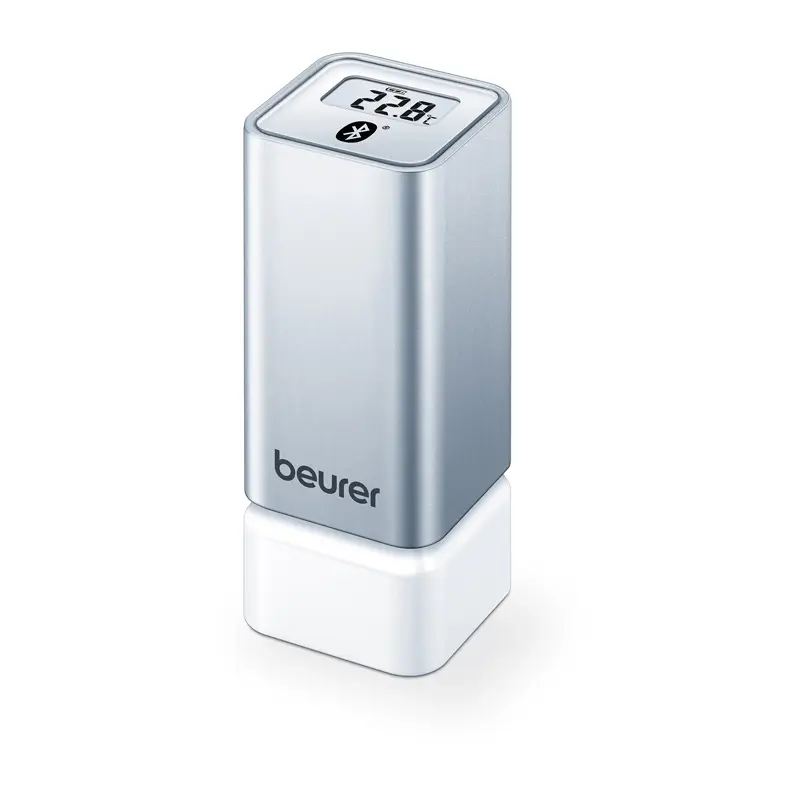

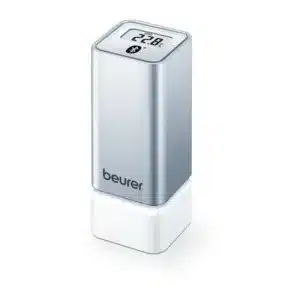
Beurer HM-55 Bluetooth® Thermo Hygrometer
Brand:
Rs. 9,000
38 people are viewing this product right now
Shipping calculated at checkout.
Compact Bluetooth® thermo hygrometer with the “beurer FreshRoom” app for long-term, multi-room climate tracking. Colour-coded air quality indicator, adjustable thresholds, and wall-mountable design.
Sold Out
This product is currently unavailable
| Weight | 0.041 kg |
|---|---|
| Dimensions | 3.2 × 3.2 × 7.6 cm |
| Model | HM-55 |
| Brand Origin | Germany |
| Color | Gray, White |
| Warranty | 1 Year Brand Warranty |
Estimated delivery:October 7, 2026 - October 9, 2026
SKU:
JAR-BEU-AQS-014
Tags: Beurer HM-55, Bluetooth hygrometer Pakistan, FreshRoom app hygrometer Pakistan, multi room humidity monitor Pakistan, smart thermo hygrometer Pakistan Categories: Air Quality Solutions
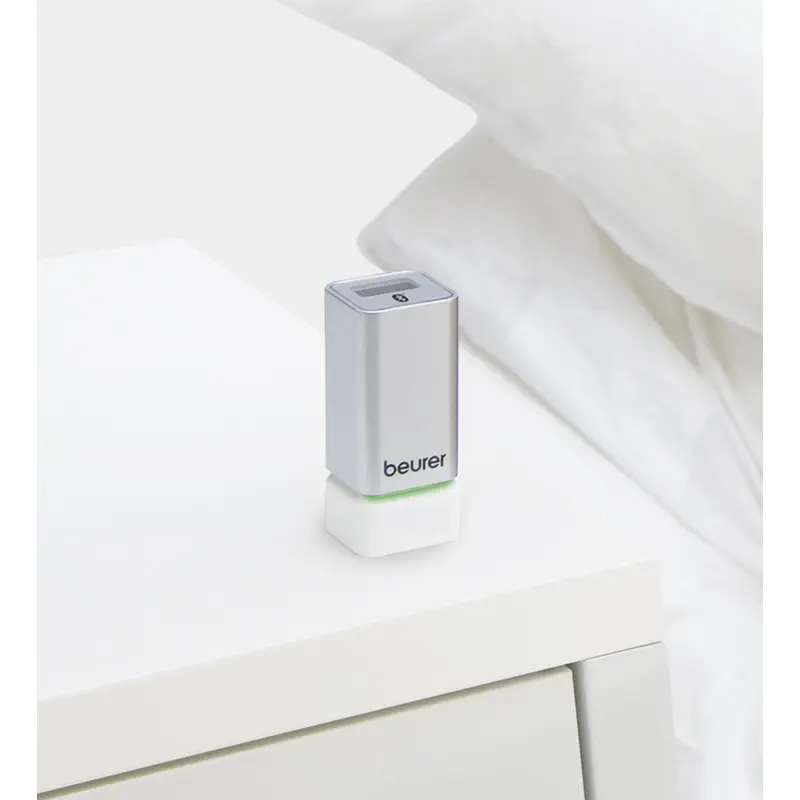
The Beurer HM-55 Bluetooth® Thermo Hygrometer is a small, elegant device for keeping an unobtrusive eye on your indoor climate. It displays the current time, temperature, and humidity, and uses a simple colour indicator — green for good room air quality, red for poor — so you can tell at a glance whether conditions need attention, without needing to interpret numbers.
For more detailed tracking, the HM-55 pairs over Bluetooth® with the free “beurer FreshRoom” app, letting you set your own custom temperature and humidity thresholds and monitor long-term trends. The app can manage up to five HM-55 units at once, each with its own name (like “bedroom” or “living room”), making it a practical option for tracking the climate in more than one room from a single app.
Why Choose Beurer HM-55 Bluetooth® Thermo Hygrometer
- Small, elegant design for unobtrusive monitoring in any room
- Displays current time, temperature, and relative humidity
- Colour indicator (green/red) gives an instant read on room air quality
- Bluetooth® connects to the free “beurer FreshRoom” app for long-term data tracking
- Individually adjustable temperature and humidity thresholds via the app
- Manage up to 5 devices at once for multi-room monitoring
- Low battery warning and switchable °C/°F display
- Wall-mountable, backed by a 3-year Beurer guarantee
Product Specifications
| Product Designation | Bluetooth® Thermo Hygrometer |
| Display | Current time, temperature, and relative humidity |
| Room Climate Indicator | Colour-coded — green (good), red (poor) |
| Threshold Adjustment | Individually adjustable via app |
| Multiroom Support | Up to 5 devices managed via app |
| Connectivity | Bluetooth® 4.0, “beurer FreshRoom” app |
| App Compatibility | iOS 8.0+ / Android 4.4+ |
| Temperature Unit | Switchable °C / °F |
| Low Battery Indicator | Yes |
| Mounting | Wall-mountable |
| Battery Type | 2 x 1.5V AAA |
| Dimensions | Approx. 3.2 x 3.2 x 7.6 cm |
| Weight | Approx. 0.041 kg |
| Guarantee | 3 years |
Usage Instructions
- Insert 2 x 1.5V AAA batteries into the device.
- Download the free “beurer FreshRoom” app (iOS 8.0+ or Android 4.4+) and enable Bluetooth® on your phone.
- Open the app and follow the pairing instructions to connect the HM-55.
- Assign a name to the device (e.g. “bedroom” or “living room”) if managing more than one unit.
- Set your preferred temperature and humidity thresholds in the app to customise the colour indicator.
- Mount the device on a wall or place it on a shelf; basic readings remain visible on the device itself even without the app open.
Care Instructions
- Wipe the device with a soft, slightly damp cloth; do not submerge in water.
- Do not use abrasive cleaning products.
- Replace the 2 x AAA batteries when the low battery indicator appears.
- Protect from direct sunlight, moisture, and extreme temperatures for accurate readings.
Warnings and Precautions
- This device is not a toy — keep it and its batteries out of reach of children.
- Do not open the housing or attempt repairs yourself, as this will void the warranty.
- Bluetooth® range and connection stability can vary depending on walls, distance, and interference from other devices.
- Full functionality requires the “beurer FreshRoom” app; only basic readings are available directly on the device.
Package Contents
- 1 x Beurer HM-55 Bluetooth® Thermo Hygrometer
- 2 x 1.5V AAA batteries
- Instruction manual
Frequently Asked Questions
What does the colour indicator on the HM-55 mean?
Green means the current temperature and humidity are within your set comfortable range, indicating good room air quality. Red means one or both readings have moved outside that range, signalling poor air quality that may need attention, such as ventilating the room or adjusting a humidifier.
Can I monitor more than one room?
Yes, the “beurer FreshRoom” app can manage up to five HM-55 units at once, and you can give each one a custom name like “kitchen” or “bedroom” to keep track of multiple rooms from a single app.
Do I need the app to use this device?
No, basic time, temperature, and humidity readings are visible directly on the device. However, full functionality — including custom thresholds, the colour-coded air quality indicator, and long-term data tracking — requires the free “beurer FreshRoom” app connected via Bluetooth®.
What phones is the HM-55 compatible with?
The “beurer FreshRoom” app requires iOS 8.0 or later, or Android 4.4 or later, along with Bluetooth® 4.0 support on your phone.
How does the HM-55 compare to the HM-16?
The HM-16 is a simple, standalone thermo hygrometer that uses face icons (smiling, dry, or humid) to show room climate directly on the device, with no app or Bluetooth® involved. The HM-55 adds Bluetooth® connectivity to the “beurer FreshRoom” app, a colour-coded (green/red) indicator with individually adjustable thresholds, and the ability to monitor up to 5 rooms at once. If you want a simple, no-app device, the HM-16 is the straightforward option; if you want app-based tracking across multiple rooms, the HM-55 is the better fit.
Only logged in customers who have purchased this product may leave a review.
 Beurer HM-55 Bluetooth® Thermo...
 Rs. 9,000












Reviews
There are no reviews yet.